Universal Offline File Converter for Windows - File Converter Pro

Universal Offline File Converter for Windows

Convert 32+ file formats locally on your computer. Full privacy, no cloud, no size limits.

32+ Formats
100% Offline
Unlimited

Only €6.49 • One-time purchase • No subscriptions

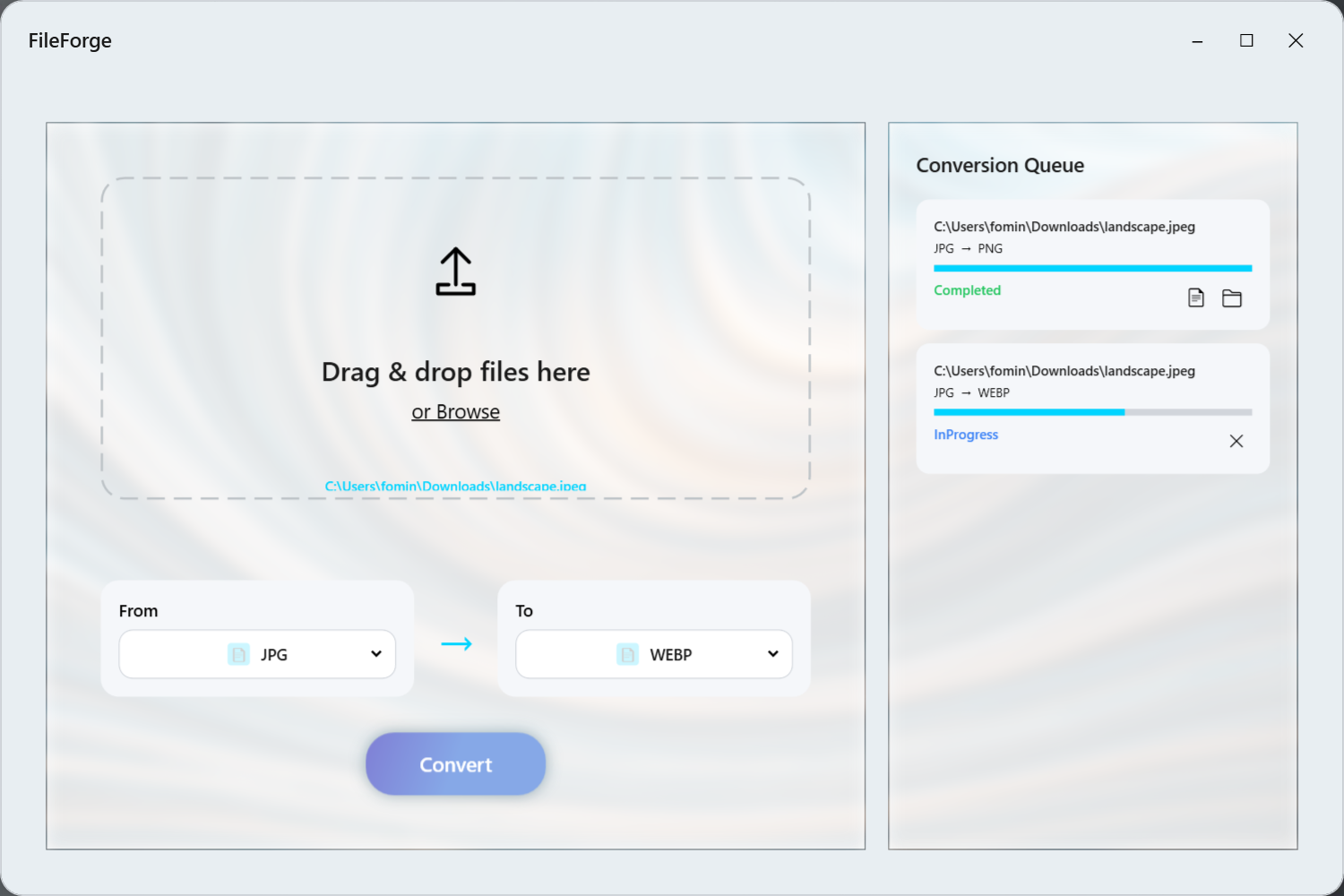
File Converter Pro Interface - Drag and Drop
100% Privacy
Fast conversion
100% Offline
No limits
Why choose File Converter Pro?

Everything you need for file conversion in one application

100% Offline & Privacy

All conversions happen locally on your computer. No data is sent to the internet or cloud.

32+ File Formats

Support for images, documents, PDF, video, audio, data (Excel, CSV, JSON) and more.

Batch Processing

Convert multiple files at once. Just drag them into the app window.

No Size Limits

Convert files of any size - from small icons to large video files.

Drag & Drop Interface

Intuitive interface with drag and drop support for fast work.

Progress Tracking

Track the conversion process in real-time with detailed progress indicator.

Supported Formats

Convert between more than 32 different file formats

PNG JPG JPEG WebP BMP TIFF GIF SVG ICO

Convert between all popular image formats. Change size, quality, DPI and color modes. Support for vector and raster images.

PDF DOCX PPTX TXT RTF HTML Markdown

Professional document conversion with formatting preservation. Create PDF from any text formats, extract text from documents.

XLSX XLS CSV JSON

Convert tabular data between Excel, CSV and JSON. Perfect for data analytics and database migration.

MP4 AVI MKV MOV WebM WMV MP3 WAV FLAC AAC OGG

Video and audio file conversion using FFmpeg. High quality processing, automatic codec selection.

See how it works

Learn about all File Converter Pro features in a few minutes

How does it work?

File conversion in 3 simple steps

1

Add files

Drag files into the app window or use the file selection button

2

Choose format

Select the desired conversion format from 32+ available formats

3

Get result

Wait for the conversion to complete and get files in the desired format

File Converter Pro - Процесс конвертации

Simple and honest pricing

No subscriptions, no hidden fees

Best offer

File Converter Pro

6.49

One-time purchase forever

  • 32+ supported formats
  • 100% offline work
  • No file size limits
  • Batch conversion
  • Full privacy
  • Free trial version
  • All future updates
Buy in Microsoft Store

Free trial version available

Frequently Asked Questions

Yes, absolutely safe. File Converter Pro works completely offline - all conversions happen locally on your computer. No data is sent to the internet or cloud, guaranteeing complete privacy of your files.

No, File Converter Pro has no file size limits. You can convert files of any size - from small images to large video files. The only limitation is the amount of free space on your disk.

Yes! File Converter Pro supports batch file processing. Just drag all needed files into the app window, and they will be processed in parallel with progress tracking for each file.

No, File Converter Pro works completely offline. After installing the app, you don't need an internet connection to convert files. All necessary components are installed with the application.

File Converter Pro runs on Windows 10 (version 17763.0 or higher) and Windows 11. App size ~158 MB, maximum installation size ~385 MB. x64 and x86 architectures are supported.

Yes, a free trial version of File Converter Pro is available in the Microsoft Store. You can try all app features before purchasing.

Ready to start converting files?

Join thousands of users who trust File Converter Pro for safe file conversion

✓ One-time purchase forever • ✓ No subscriptions • ✓ Free trial version